
Clear audio is the single most important technical element in any wedding film. Poor sound recording for wedding videos drops the emotional impact of personal vows by 57%, according to research on audio quality. Films with excellent audio are rewatched 3.9 times more than those with poor audio after three years. That number alone should reframe how you budget, plan, and execute audio on every shoot. These audio tips for wedding films cover the gear, the techniques, and the fixes that separate forgettable footage from films couples watch for decades.
Audio tips for wedding films: essential gear and setup
The foundation of great wedding film audio techniques starts with one rule: your camera microphone is not a recording device. Camera on-board mics capture ambient sound from 15 to 30 meters away from the ceremony, making their output usable only as a sync reference track. Eighteen percent of videographers still rely on camera mics as their primary source, and the result is consistently unusable dialogue.
Wireless lavalier microphones are the non-negotiable starting point for best audio equipment for weddings. Place one on the officiant at minimum. A single wireless lavalier increases usable vow capture from 12% to 71% compared to camera audio alone. That jump is not incremental. It is the difference between a film that works and one that does not.
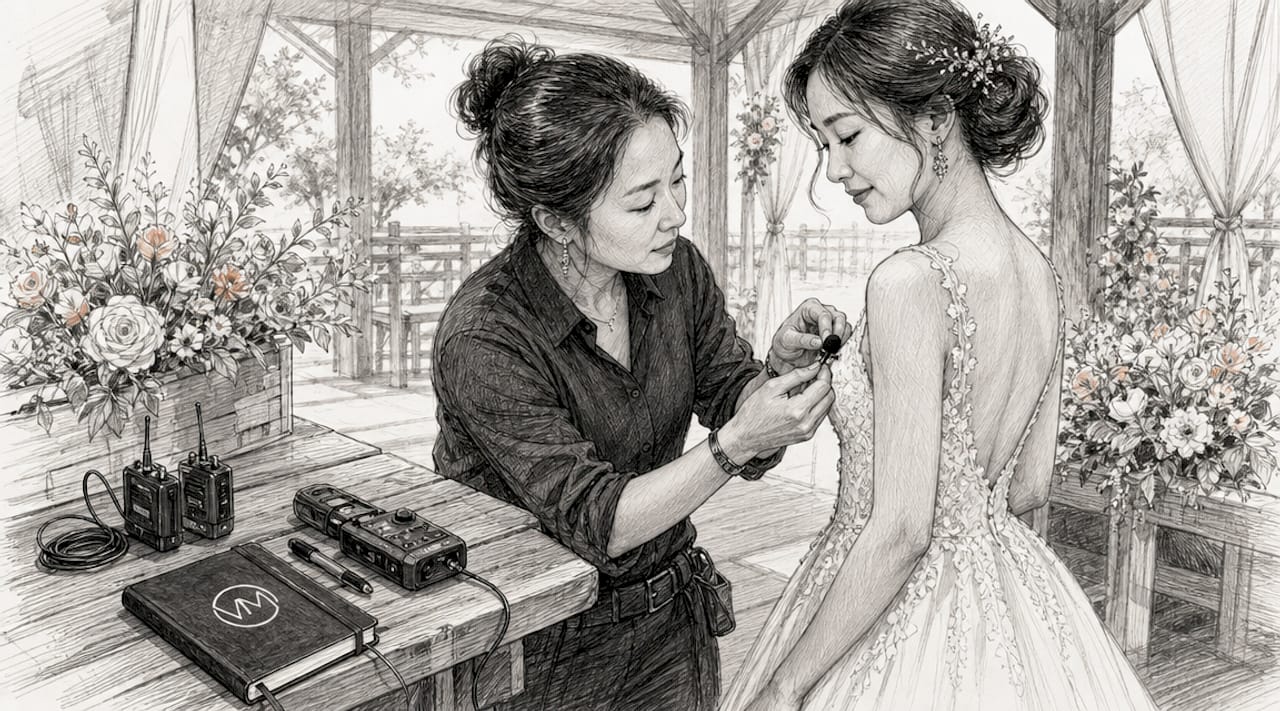
Beyond lavaliers, every professional kit should include a portable digital recorder such as a Zoom H5 or Tascam DR-40X, a shotgun microphone like the Rode NTG3 for ambient and reception coverage, and foam or furry windscreens for every mic in the bag. Windscreens are essential even indoors because HVAC systems, ceiling fans, and air conditioning vents create low-frequency rumble that human ears filter out but microphones record clearly.
Pro Tip: Always bring a second wireless transmitter and receiver as a backup. Frequency interference at venues with multiple events running simultaneously is more common than most videographers expect.
Here is a quick comparison of the most common audio sources and their practical value on a wedding day:
| Audio source | Best use | Reliability | Typical cost |
|---|---|---|---|
| Wireless lavalier (single) | Officiant or groom | High | $200 to $600 |
| Wireless lavalier (dual) | Officiant and groom | Very high | $400 to $1,200 |
| Venue PA board feed | Ceremony and speeches | Excellent when available | Free with coordination |
| Shotgun mic on camera | Ambient and reception | Moderate | $300 to $800 |
| Camera on-board mic | Sync reference only | Low for dialogue | Built-in |
For a deeper breakdown of wedding videography gear, including recorders and lavalier comparisons, that resource covers the full kit in detail.
How to capture clean audio during the ceremony and reception
Gear alone does not guarantee great sound. Capturing sound for wedding videos requires deliberate technique from the moment you arrive at the venue. Follow this sequence on every shoot:
-
Arrive early and scout the acoustic environment. Walk the ceremony space and listen for HVAC noise, echo, and ambient sound sources. Stone churches and cathedrals produce reverberation times of 2 to 4 seconds, which makes even high-quality lavaliers struggle. Knowing this before the ceremony starts lets you adjust placement and gain settings in advance.
-
Coordinate with the DJ or sound engineer before the ceremony. Securing access to the venue's PA board feed is the single most underutilized wedding ceremony sound tip in the industry. The board feed delivers audio already calibrated for the room's acoustics, which no lavalier can replicate. Most DJs will hand you a direct output cable if you ask the day before.
-
Place lavaliers discreetly and test before the processional. Clip the transmitter to the groom's waistband and route the lav wire under the shirt collar. For the officiant, a chest pocket or lapel works well. Test levels with the actual clothing the subject will wear, since fabric type changes the sound profile significantly.
-
Monitor audio live throughout the ceremony. Real-time monitoring with headphones lets you catch a loose connector, a dead battery, or a frequency dropout before it ruins an irreplaceable moment. Use closed-back headphones like the Sony MDR-7506 so ambient noise does not mask problems in the feed.
-
Position a backup recorder near the altar. A Zoom H1n or Tascam DR-05X placed inside a floral arrangement or on the altar table provides a safety net if your primary wireless system fails. This costs under $100 and has saved entire ceremonies.
Pro Tip: Label every audio track in your recorder before the ceremony begins. When you are editing at 11 p.m. and have six tracks open in Adobe Premiere Pro or DaVinci Resolve, clear labeling cuts your sync time in half.
Common audio problems and how to fix them
Even with solid preparation, wedding audio goes wrong. Knowing the most frequent failure points lets you prevent them or recover in post-production.
-
Sync drift. Long ceremonies cause audio recorded on separate devices to drift out of sync over time. Use a clapper or a sharp hand clap at the start of each recording session to create a visible sync point. In post, PluralEyes by Red Giant automates multi-track sync in minutes.
-
Echo and reverb in large venues. In echoey spaces like barns or stone churches, position lavaliers as close to the mouth as possible and reduce gain to minimize room reflections picked up by the mic. In post, iZotope RX's De-reverb module removes a significant portion of room sound without degrading the voice.
-
Wind noise outdoors. Furry windscreens, sometimes called deadcats, reduce outdoor wind noise by up to 20 dB compared to foam covers. For extreme conditions, position the officiant so the wind hits their back rather than their front.
-
Handling noise. Secure every lavalier cable with medical tape so movement does not transfer vibration to the capsule. Loose cables are the most common source of low-frequency thumping in ceremony audio.
"The vows are the emotional core of every wedding film. If the audio fails there, no amount of color grading or music selection recovers the film's impact." — A principle every wedding filmmaker should internalize before every shoot.
For more on how audio shapes emotional storytelling in wedding films, that piece goes deep on the connection between sound and viewer response.
Single vs. dual lavalier systems: which setup wins?
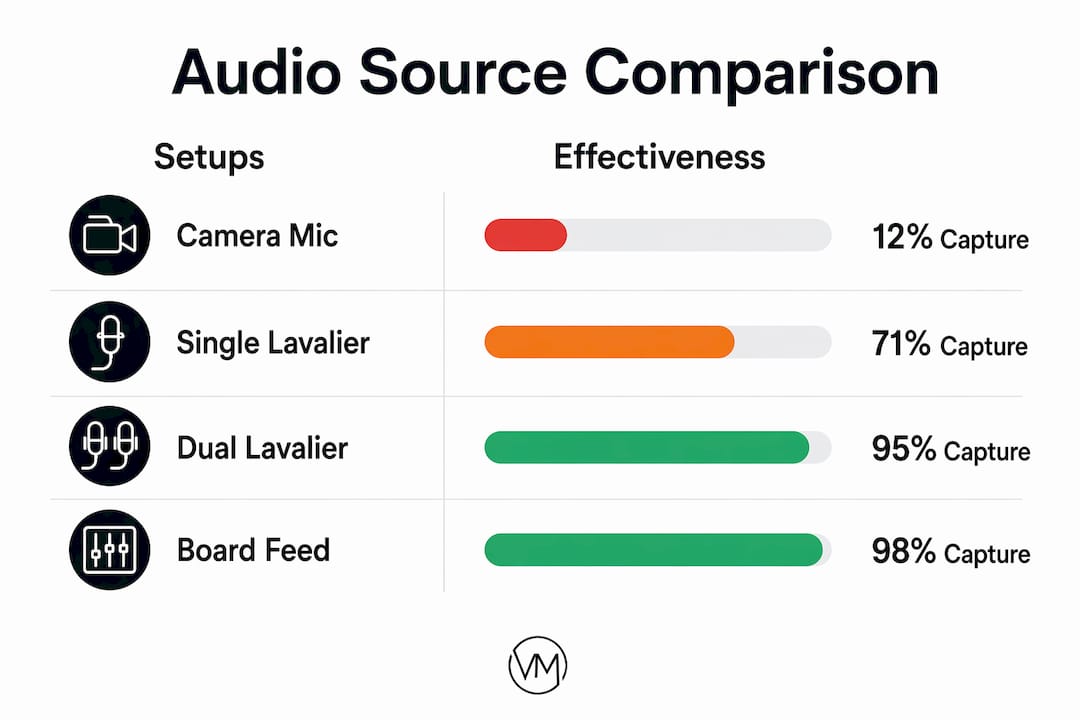
The data on this question is definitive. A single wireless lavalier on the officiant captures usable vows 71% of the time. Adding a second lavalier on the groom or bride pushes that number to 89% successful capture. The 18-point improvement comes from redundancy. When the officiant moves away from the mic or turns their head, the second unit compensates.
The venue board feed adds a third layer of reliability. When all three sources are running simultaneously, the probability of capturing clean, usable audio across the entire ceremony approaches near certainty. The board feed also captures the couple's responses through the venue's own microphone system, which lavaliers on the officiant alone cannot always pick up clearly.
| Setup | Vow capture rate | Cost range | Recommended for |
|---|---|---|---|
| Camera mic only | 12% | $0 extra | Never for primary audio |
| Single lavalier | 71% | $200 to $600 | Budget shoots only |
| Dual lavalier | 89% | $400 to $1,200 | Standard professional setup |
| Dual lav plus board feed | Near 100% | Coordination cost only | Every professional shoot |
Understanding wedding AV infrastructure at venues also helps you ask the right questions when coordinating with venue sound teams before the day.
Key takeaways
Dual lavalier systems combined with venue board feed access deliver near-perfect vow capture and represent the highest-ROI audio investment in wedding videography.
| Point | Details |
|---|---|
| Camera mics fail for dialogue | Use camera audio for sync only; it captures sound from 15 to 30 meters away. |
| Dual lavs outperform single | Vow capture jumps from 71% to 89% when you add a second wireless lavalier. |
| Board feed is the best source | Coordinate with the DJ before the event to access the venue's PA output. |
| Monitor live with headphones | Real-time monitoring catches failures before they become permanent losses. |
| Windscreens work indoors too | HVAC and air currents ruin takes; use windscreens on every mic in every environment. |
Why audio deserves your biggest investment
I have shot weddings where the visuals were flawless and the audio was a disaster. Those films do not get shared. They do not get rewatched. Clients are polite about it, but you can hear the disappointment when they describe the film to friends.
The conventional wisdom in wedding videography is to spend money on lenses and cameras. I disagree with that priority. A Sony FX3 with a Rode Wireless GO II and a Zoom H5 will outperform a RED camera with a camera mic every single time for client satisfaction. The gear that captures the vows, the laughs during the speeches, and the ambient sound of a room full of people celebrating is the gear that makes the film matter.
The hardest lesson I learned came from a church ceremony with a 3-second reverb tail and a DJ who had already packed up his board feed before I could ask for access. I had one lavalier on the officiant and nothing else. The vows were technically audible but emotionally flat. The couple was gracious. I was not satisfied. After that shoot, dual lavaliers and a pre-ceremony board feed conversation became non-negotiable parts of my workflow.
Audio investment yields the highest ROI in wedding videography because sound is what makes a film rewatchable years later. Visuals age. Emotions do not. Follow us on Instagram to see how cinematic sound and visuals come together in real wedding films.
— Anthony
How Visualize Media captures sound that lasts a lifetime
Visualize Media shoots every wedding with dual wireless lavalier systems, live audio monitoring, and direct board feed access as standard practice, not an upgrade. The team covers weddings across New York and New Jersey with a filmmaker's approach to both sound and visuals, treating every vow and speech as an irreplaceable audio moment. If you want a wedding film that your family will still watch in twenty years, the difference starts with how the sound is captured on the day. Explore Visualize Media's wedding cinematography services to see how professional audio capture and cinematic storytelling come together in every film they produce.
FAQ
What is the best microphone setup for wedding videography?
A dual wireless lavalier system combined with access to the venue's PA board feed delivers the most reliable audio. This combination pushes usable vow capture to near 100%.
Why is camera audio not good enough for wedding films?
Camera on-board microphones capture sound from 15 to 30 meters away, making them acoustically unusable for dialogue. They serve only as a sync reference track in post-production.
How do I reduce echo in a church wedding recording?
Position lavaliers as close to the speaker's mouth as possible and reduce gain to minimize room reflections. In post-production, iZotope RX's De-reverb module removes significant reverb without degrading voice quality.
Do I need windscreens for indoor wedding shoots?
Yes. HVAC systems, ceiling fans, and air vents create low-frequency air currents that microphones record clearly even when human ears do not notice them. Windscreens on every mic prevent this.
How do I sync audio from multiple recorders in editing?
Use a sharp hand clap at the start of each recording session to create a visible sync point. PluralEyes by Red Giant automates multi-track synchronization across all sources in minutes.