
Give both vendors these three instructions the moment they arrive: the videography team enters the venue first and gets a technical setup buffer before the photographer begins working the ceremony space. The photographer uses that window to shoot details, flat-lays, and getting-ready candids in a separate room. All day-of questions go through one designated point person,, whether that's your planner or the lead from Visualizemedia. If aerial footage is planned, confirm your operator holds FAA certification and has written venue permission before the wedding day.
Three copy-paste action steps for your vendors:
- Arrival and check-in: "Videography team arrives [X time], photographer arrives [X + 30 min]. Check in with [Planner Name] at the venue entrance. Do not enter the ceremony space until the videography team confirms audio is live."
- Short walkthrough: "Both teams walk the ceremony and reception spaces together at [X + 45 min]. Agree on primary camera positions, audio mic placements, and sightline zones before guests arrive."
- Communication channel: "All day-of questions go to [Point Person Name] at [phone/text]. No vendor-to-vendor disputes on the floor."
Pro Tip: If Visualizemedia is your videography team, share this document with them at booking. They run pre-wedding coordination calls and can co-sign the timeline with your photographer before the day.
Your one-page vendor checklist (copy and print this)
Hand this to both vendors at arrival. Ask each to initial when their task is complete.
- Videography team arrives and begins audio rig and multi-camera placement ____ (initials)
- Photographer arrives and begins detail/flat-lay shots in prep room ____ (initials)
- Joint walkthrough of ceremony and reception spaces complete ____ (initials)
- Primary camera positions and sightline zones agreed ____ (initials)
- Lavalier mics tested and confirmed live ____ (initials)
- Drone window confirmed with operator (if applicable) ____ (initials)
- Unplugged ceremony announcement confirmed with MC or officiant ____ (initials)
- Both teams briefed on day-of point person and communication channel ____ (initials)
Unplugged ceremony script for your MC or program insert:
When should photographers shoot while videographers set up?
Pre-shoot alignment between both teams prevents them from stepping into each other's shots and produces more cohesive final deliverables. The timing structure below makes that alignment automatic.
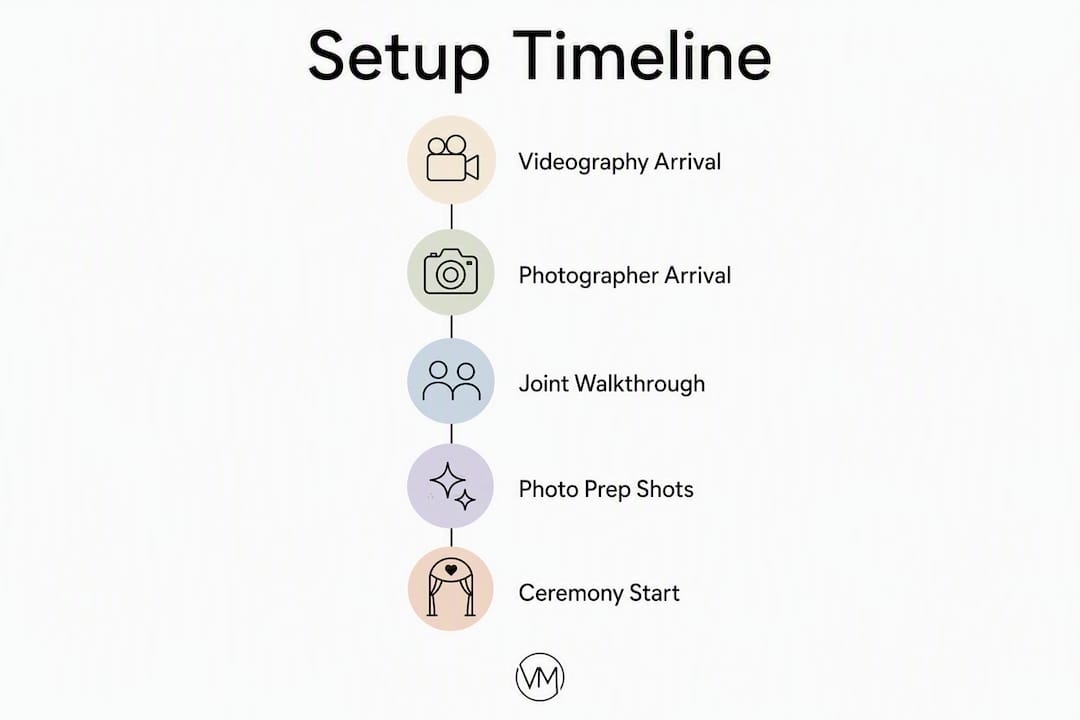
The core rule: videographers need the ceremony space first. Lavalier mics, cable routing, and multi-camera placements take time, and rushing that process causes audio problems that can't be fixed in post. A buffer built into the schedule gives the video team room to work without the photographer hovering nearby.
| Timeline Type | Videography Arrives | Photographer Arrives | Joint Walkthrough | Ceremony Start |
|---|---|---|---|---|
| Ceremony-first | 3 hrs before | 2 hrs before | 2 hrs before | On schedule |
| Reception-first | 2 hrs 30 min before | 2 hrs before | 1 hr 45 min before | On schedule |
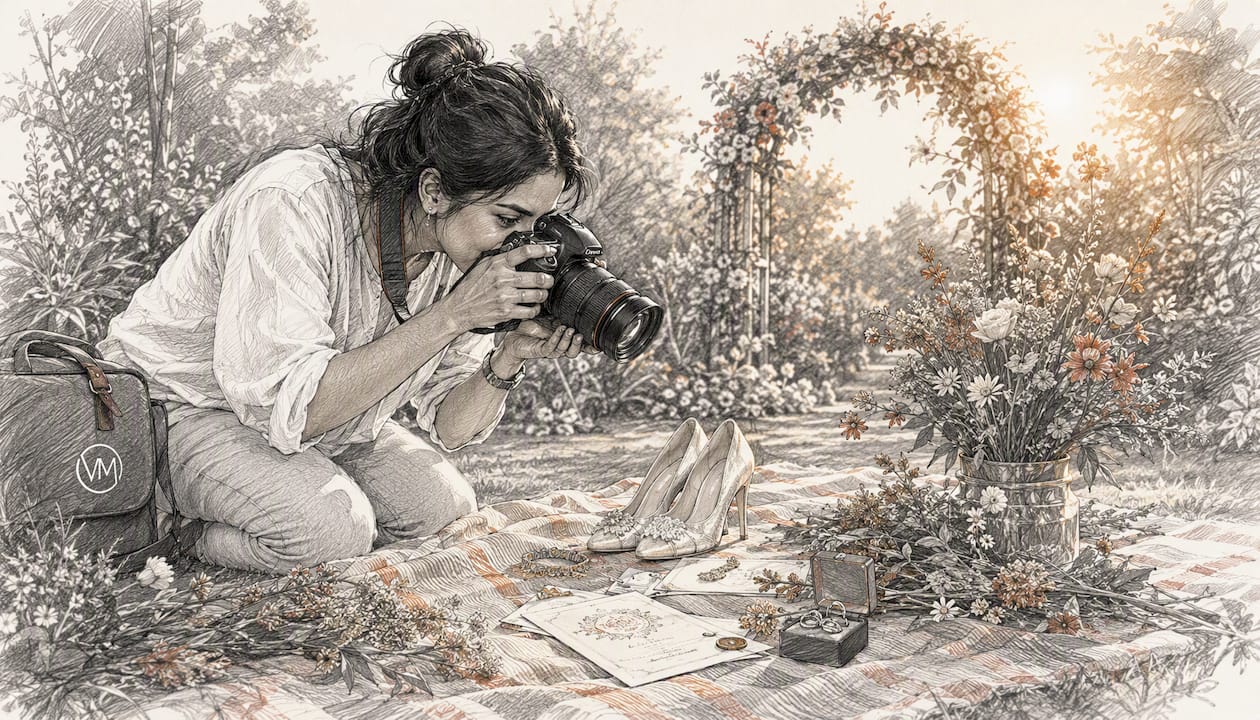
During that setup buffer, photographers have plenty to work with: dress details, rings, shoes, invitation flat-lays, and candid getting-ready moments in the bridal suite or groom's room. None of those shots require the ceremony space, and they're often the images couples treasure most.
Pro Tip: Ask your venue for simultaneous access for both teams. A venue walkthrough where both vendors see the space together before guests arrive prevents last-minute mic placement conflicts.
Where should each vendor stand during the ceremony?
Sightlines are the most common source of conflict between photo and video teams. Three rules cover most situations.
- Stay outside the primary camera cone. The videographer's main wide shot has a fixed axis from the back of the aisle to the altar. Photographers should never cross that line during processional or vows.
- Keep low and mobile for candid coverage. A crouching photographer moving along the side aisle stays out of the video frame and gets angles the static camera can't reach.
- Use elevation for wide shots. A small step stool or balcony position lets photographers capture the full scene without walking into the video team's foreground.
For specific moments: during the processional, the photographer works the side aisle while the videographer holds the center-back position. At the first kiss, the photographer moves to a pre-agreed front-side angle while the video team holds its locked wide shot. During golden-hour portraits, both teams rotate positions in a pre-agreed sequence so neither blocks the other's light.
Pro Tip: Agree on a reset signal before the ceremony, a simple hand gesture or a quiet word, so if a shot gets blocked, both teams can reposition without disrupting the moment. Establish two fallback positions for each vendor so there's always a clean angle available.
What should photographers shoot while videographers finish setup?
The difference between stills and motion is more than format. Photographers capture decisive single moments; videographers capture motion, sound, and sequence. Respecting that difference means photographers don't need the ceremony space to stay productive during setup.
Priority shot order for the setup window:
- Invitation suite, rings, shoes, and florals (detail flat-lays)
- Dress on hanger or mannequin, veil details
- Bridal prep candids: hair, makeup, getting-dressed moments
- Groom and groomsmen candids in their prep space
- First look (if scheduled before ceremony)
- Immediate family portraits in a neutral indoor space
When to yield to the videography team:
- Any position near the officiant's mic or speaker stands
- The center aisle during audio testing
- Any space where cable runs are visible on the floor
Hand this list to your second shooter or photo assistant so they can work independently while the lead photographer coordinates with the video team.
How do you get photographers and videographers working as one team?
Connecting vendors before the wedding day creates a calmer atmosphere that noticeably improves the couple's experience. A short intro email is the easiest place to start.
Sample intro email (send when both vendors are booked):
Day-of walkthrough checklist:
- Confirm venue access windows for both teams
- Identify all power outlets and extension cord routes
- Walk the ceremony space and agree on camera positions
- Test audio: lavalier mics live before guests arrive
- Confirm lighting lock (no additional flash or LED until after audio test)
- Identify the drone window if aerial footage is planned
- Agree on who leads each key moment (processional, first kiss, first dance)
Pro Tip: Schedule a shared meal break for both teams. Synchronized breaks build rapport and give vendors a natural moment to flag any issues before the reception begins. Designate one person, usually your planner, to make quick calls during the day so vendors never have to negotiate on the floor.
Flash, lighting, and sound rules during video setup
Photography and videography have different technical needs in the same space. These rules prevent one team from ruining the other's work.
Do/don't list:
- Do ask the videography team before firing on-camera flash near their active recording setup
- Do match your continuous LED color temperature to the videographer's ambient lighting (typically 3200K for warm indoor or 5600K for daylight)
- Don't use large LED panels during audio testing — fan noise and power draw can interfere with mic checks
- Don't fire flash during vows or ring exchange without prior agreement; the burst can blow out video exposure on cameras set for ambient light
- Do switch to silent shutter mode during vows and speeches if your camera supports it; mechanical shutter noise is audible on lavalier recordings
For lighting coordination that holds up in post-production, both teams should agree on a color temperature before the ceremony. Photos and film that share the same white balance grade more consistently and look cohesive in the final album and film.
Drone and aerial coordination for NY/NJ weddings
Aerial footage adds a cinematic dimension to luxury wedding films, but it requires planning well before the wedding day. The Federal Aviation Administration (FAA) governs all commercial drone operations in the United States. Your operator must hold a Part 107 Remote Pilot Certificate, and flights near controlled airspace, which covers much of the New York and New Jersey metro area, require prior authorization through the FAA's LAANC system or a formal waiver.
Pro Tip: Schedule drone passes during B-roll windows, not during vows or first dances. Keep a no-fly radius of at least 25 feet over any guest cluster, and brief your venue coordinator on the flight plan so staff can clear the area. Never fly over crowds without explicit FAA authorization.
Sample ceremony-first timeline you can copy
Use this as a starting point and adjust coverage windows to match your venue access and package length.
| Time | Activity | Who |
|---|---|---|
| T minus 3 hrs | Videography team arrives, begins audio rig and camera placement | Video team |
| T minus 2 hrs | Photographer arrives, begins detail and prep shots | Photo team |
| T minus 2 hrs | Joint walkthrough, sightline agreement, lighting lock | Both teams |
| T minus 1 hr | Drone operator site brief (if applicable) | Drone + video lead |
| T minus 45 min | Guests begin arriving; vendors in final positions | Both teams |
| Ceremony | Locked positions per agreed sightline plan | Both teams |
| Cocktail hour | Portrait session, candid coverage, drone B-roll window | Both teams |
| Reception | Multi-camera coverage, speeches, first dance | Both teams |
| Shared meal break | Both teams eat together | Both teams |
Adapting this timeline:
- For shorter coverage windows (6 hours or less), compress the setup buffer to 20 minutes and move detail shots to the reception venue during cocktail hour
- For longer coverage (10+ hours), add a second joint reset at the start of the reception so both teams re-confirm positions after the room flip
- Always build in a photo timeline buffer for travel between locations if your ceremony and reception are at different venues
What to tell your guests about phones and positioning
Guest interference is one of the easiest problems to prevent and one of the most common to ignore. A guest stepping into the aisle for a phone photo can block both the photographer and the video team at the same moment that matters most.
Short texts for your ceremony program or signage:
MC announcement (read aloud before processional):
Placement guidance for planners:
- Post a small sign at the aisle entrance: "Reserved for photo and video — please keep clear"
- Ask the venue coordinator to remind ushers to keep guests in their seats during the processional
- For outdoor ceremonies, mark the photographer's side-aisle path with subtle ribbon or rope so guests don't fill that space
The planner or venue coordinator should enforce these requests, not the vendors. Putting a vendor in the position of asking guests to move mid-ceremony creates tension and costs time.
Key Takeaways
Coordinating photo and video at a luxury wedding comes down to one principle: give each team a defined role, a defined space, and a defined time to work, and the day runs itself.
| Point | Details |
|---|---|
| Build in a setup buffer | Add a setup buffer to the videography team's arrival so audio and camera rigs are live before the photographer enters the ceremony space. |
| Use a shared walkthrough | Both teams should walk the venue together well before guests arrive to agree on positions and lighting. |
| Assign one point person | A single day-of contact prevents vendor disputes and keeps quick decisions off the couple's plate. |
| Brief your guests | A program insert and MC announcement keep guests seated and aisles clear so neither team loses a shot. |
| Include Visualizemedia in timeline planning | Visualizemedia handles pre-wedding coordination calls, joint shot lists, and multi-camera and aerial scheduling for NY/NJ luxury weddings. |
Why vendor collaboration is the real luxury product
Most couples focus on finding the best photographer and the best videographer separately. The gap they miss is the space between those two vendors on the day itself. A photo team and a video team that have never spoken before the wedding are two separate crews working the same room. The result shows in the final deliverables: mismatched lighting, blocked angles, and moments where one medium got the shot and the other didn't.
The coordination work described in this guide isn't a nice administrative extra. It's what separates a luxury wedding film from a competent one. When both teams know exactly where to stand, when to yield, and who to call when something changes, they stop competing for the same frame and start building something together.
Super 8 film is a good example of why this matters at the detail level. When Visualizemedia incorporates Super 8 elements into a luxury wedding film, it changes the blocking plan. The Super 8 camera is louder than a digital body, it requires closer proximity for the grain to read well, and it has a fixed frame rate that doesn't respond to flash the way a digital sensor does. That means the photographer needs to know when the Super 8 is rolling so they can hold their flash and stay out of the film's intimate frame. That conversation happens in the pre-wedding call, not on the day. Follow Visualizemedia on Instagram to see how these coordination decisions translate into the final film.
Visualizemedia handles the coordination so you don't have to
For NY/NJ couples booking luxury wedding coverage, the hardest part of photo/video coordination is knowing what to ask for. Visualizemedia builds the coordination structure into every package: a pre-wedding call with your photographer, a joint shot list, multi-camera and aerial scheduling, and a designated day-of point person who makes quick calls so you never have to.
Services that reduce day-of friction include multi-camera ceremony coverage, aerial drone footage with FAA-compliant operators, Super 8 film elements, color grading, and full speech and ceremony edits. Every package starts with a planning session designed to align your entire vendor team before the wedding day.
Browse the full wedding cinematography packages for New York and New Jersey, or fill out the booking questionnaire to check availability for your date.
Useful sources
- Top 5 Conflicts Between Wedding Photographers & Videographers — Danielle Hennessy: source for the 30–45 minute setup buffer and venue walkthrough recommendations
- How to Help Your Photo & Video Teams Work Together — Toast Weddings: supports synchronized meal breaks and day-of rapport building
- How to Coordinate a Photographer and Videographer — Sortra: general coordination framework for shared timelines and agreed expectations
- Visualizemedia — Luxury Wedding Cinematography, NY/NJ: brand resource for multi-camera, aerial, and coordination services