
Use slow motion sparingly and only on one to three emotionally charged moments, not entire scenes, to make a wedding film feel cinematic instead of gimmicky. The moments that earn it are usually the walk down the aisle, the first kiss, or a spontaneous laugh during vows. Everything else in this guide covers how to choose those moments, the camera settings that create the effect, editing workflows, the Super 8 option, and a shooting checklist.
TL;DR:
- Limit slow-motion clips to two or three moments in a highlight reel, each lasting 3 to 8 seconds, to maintain emotional impact.
- Prioritize slow motion for dynamic, movement-based moments paired with visible emotion, such as the bride's walk or the first kiss.
- Use a frame rate of 120fps for most dramatic slow-motion effects, with 60fps creating subtle motion and 240fps reserved for detailed textures like confetti or bubbles.
- Plan and scout lighting in advance, especially for indoor shots, and assign a dedicated operator to capture key moments at high frame rates.
- Native high-frame-rate footage offers superior quality, while retiming in post can introduce artifacts; clear communication with the videographer ensures proper coverage.
Why Slow Motion Works in Wedding Videos (and How to Use It Well)
Slow motion slows down time for the viewer's eye, and that's exactly why it works. When a groom's face crumples the moment he sees his bride, stretching that half second to two full seconds gives the audience time to actually register it. Full speed, the brain skips right past micro expressions. Slowed down, they become the whole story.

That power has a downside: overuse kills it fast. If every third clip in a highlight reel drifts into slow motion, viewers stop feeling anything special about it. Wedding editing guides consistently recommend restraint, using the effect only where it genuinely amplifies emotion and detail rather than as a default transition.
A good rule of thumb: in a 4 to 6 minute highlight reel, two or three slow-motion moments, each running 3 to 8 seconds, is plenty. In a feature-length film, you can afford a few more, spaced across the ceremony and reception so no single stretch of the timeline feels sluggish.
- Ceremony: one moment, usually the first look or first kiss
- Reception entrance or first dance: one moment, often a spin or twirl
- Exit or send-off: an optional third, like confetti or bubbles catching the light
Pro Tip: If you're not sure whether a moment deserves slow motion, ask whether it would still feel powerful at normal speed. If yes, save the effect for something else.
The Best Wedding Moments to Slow Down (and How to Plan Them)
Not every part of the day deserves the slow-motion treatment. The moments that read best in slow motion share one thing: physical movement paired with visible emotion. A stationary shot of two people talking rarely benefits. A veil catching wind, a hand reaching for another hand, a spin on the dance floor, these do.
- The bride's entrance. The walk down the aisle, especially the veil movement and the groom's reaction shot, is the single most requested slow-motion moment in wedding films.
- The first kiss. Even a two-second stretch here adds weight to the moment guests traveled for.
- The first dance turn. A single twirl slowed down reads as romantic; the whole dance slowed down reads as filler.
- The bouquet toss or confetti exit. Motion plus falling debris (petals, confetti, bubbles) is tailor-made for the effect because slow motion reveals texture normal speed can't catch.
- Candid reaction shots. A parent tearing up, a best friend laughing, these work because the emotion is unscripted.
For planning, treat slow-motion moments the way you'd treat a shot list for photography. Walk the ceremony and reception spaces ahead of time, mark where the light will hit at the actual time of day, and assign one operator specifically to cover the two or three moments you've flagged. That operator's only job during those windows is capturing clean, well-lit slow motion, not multitasking between wide shots and detail shots.
How to Shoot Slow Motion: Camera Settings That Actually Matter
The look of slow motion comes down almost entirely to frame rate, and each target creates a different feel.
- 60fps produces subtle, gentle slow motion when played back at 24 or 30fps. This works well for wide reception shots where you want a slight romantic drift without an obvious "effect."
- 120fps is the workhorse for wedding films. It creates the classic dramatic slow motion most couples picture, ideal for the first kiss, veil movement, and dance twirls.
- 240fps and up produces super slow motion, the kind that turns a single second into eight or ten. Reserve this for confetti, bubble exits, or fabric movement where the detail itself is the point. Used on faces or full-body movement, it can look unnatural rather than romantic.
Shutter speed follows a simple formula: aim for roughly 1 divided by (frame rate times 2). At 120fps, that's a shutter speed near 1/240. At 240fps, closer to 1/480. Faster shutter speeds at high frame rates let in far less light than standard 24fps shooting, which is the single biggest technical challenge in wedding slow motion.
That light problem forces tradeoffs in ISO, aperture, and filtration. Shooting outdoors at midday, a variable ND filter lets you keep a wide aperture for shallow depth of field without blowing out highlights. Shooting indoors at 120fps or higher, you're often pushing ISO higher than you'd like, which introduces grain, or opening the aperture wider, which shrinks your depth of field and makes focus tracking during movement much harder.
Lens choice matters more at high frame rates than at standard speed. Fast primes, something in the f/1.4 to f/2.0 range, let you gather more light without cranking ISO. A 50mm or 85mm prime is a common choice for close, emotional coverage like the first kiss, while a slightly wider zoom handles movement-heavy shots like the aisle walk or dance twirl where framing needs to adjust on the fly.
Stabilization is non-negotiable at high frame rates because any shake gets magnified when the footage is slowed down. Gimbals work best for moving shots, following the bride down the aisle or tracking a dance spin. Tripods suit static setups like the ceremony's front-row angle. Handheld with in-body image stabilization (IBIS) can work for quick, close reaction shots, but it's the riskiest option at 120fps and above.
Lighting deserves its own planning pass, separate from the rest of the day's coverage. For indoor ceremonies or reception moments you know you'll want in slow motion, bring continuous LED lighting rather than relying on flash or ambient light alone. High frame rate shooting needs consistent, strong illumination throughout the entire capture, not a single burst. If you know the first look or vows will happen in a dim room, scout that space in advance and plan extra continuous light specifically for those windows.
Pro Tip: Test your exposure in the actual ceremony space at the same time of day, before the wedding, if you can. Light shifts dramatically between a 2 p.m. site visit and a 5 p.m. ceremony, and high-fps shooting has zero room for guessing.
Editing Slow Motion: How to Retime Footage Without Ruining It
The cleanest slow motion in any wedding film comes from footage shot natively at a high frame rate, not footage stretched afterward. Native 120fps footage played back at 24fps looks smooth because every frame is real. Stretching 30fps or 60fps footage to achieve the same slowdown means the software has to invent frames that were never actually recorded, and that's where quality drops.
Editors handle that gap-filling with a few different methods:
- Frame blending is the simplest and fastest, but it can look soft or smeared, especially on fast movement like a dance spin.
- Optical flow analyzes movement between frames and generates synthetic frames that follow that motion path. It looks better than blending but can introduce warping artifacts around hands, veils, or anything with fine detail moving quickly.
- Timewarp or speed ramping tools let editors ease in and out of the slow-motion effect rather than snapping into it, which reads as far more cinematic than an abrupt speed change.
Whichever method is used, watch for ghosting around edges and warping on fabric or fingers, the two most common artifacts optical flow introduces. This is exactly why shooting natively at your target frame rate, rather than depending on retiming in post, tends to yield cleaner results with far fewer visible glitches.
One detail that separates polished slow motion from amateur slow motion: motion blur. Footage shot at very high shutter speeds (which high frame rate demands) can look strangely crisp and stuttery when slowed down, almost like a flipbook rather than fluid movement. Some editors add a subtle blur back in during post to restore a natural sense of motion, particularly on fast pans or spins.
When you're briefing an editor or a videographer, ask for both a real-time cut and a slow-motion cut of key moments as separate deliverables, not just the finished slow-motion version. That gives you flexibility later if you want a straightforward ceremony recap alongside the cinematic highlight reel. For output, 1080p at 24fps or 30fps final delivery is standard even when the source footage was captured at 120fps or 240fps. If you want to experiment with speed changes yourself for a quick social clip, Adobe Express offers straightforward speed controls that don't require professional editing software.
Super 8 and Vintage Film: What It Adds That Digital Slow Motion Can't
Digital slow motion smooths time down. Super 8 does something entirely different: it adds texture, grain, and warmth that no digital filter fully replicates. The color shifts naturally toward warm reds and ambers as the film stock ages slightly in processing, and the frame cadence itself, typically 18 or 24fps with a slight flicker, feels handmade in a way high frame rate digital footage never will.
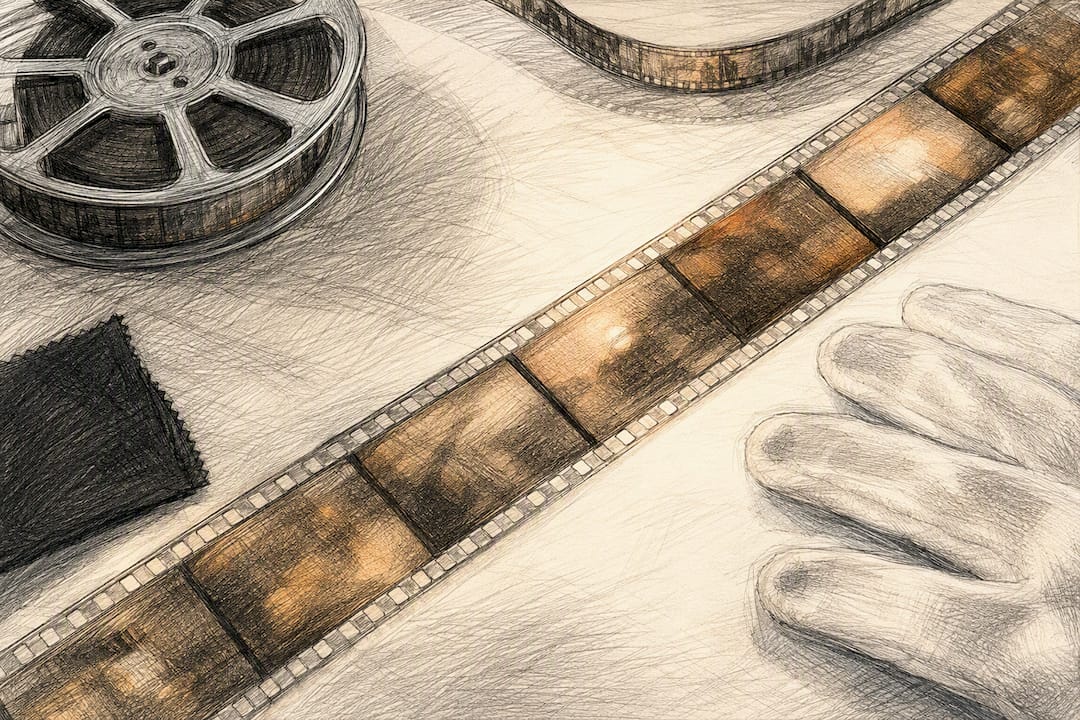
At Visualize Media, we treat Super 8 as a texture layer rather than a replacement for digital coverage. A short 30 to 60 second Super 8 montage, usually covering getting-ready moments or a quiet aisle walk, cut alongside crisp digital footage gives a wedding film a nostalgic anchor point without sacrificing the clarity modern cameras deliver everywhere else.
The tradeoffs are real and worth knowing before you request it:
- Film stock itself has a hard cost per cartridge, and each cartridge only captures a few minutes of footage, so Super 8 gets used selectively, not as primary coverage.
- Processing happens at a specialty lab, not in-house, which adds days to weeks onto your delivery timeline depending on the lab's queue.
- Scan resolution from Super 8 is lower than native 4K digital capture, which is part of its charm but also means it's unsuitable for wide, detail-heavy shots.
Because of those constraints, Super 8 tends to appear as an add-on within premium packages rather than a standalone deliverable. If the grain and warmth of analog film matter to you, raise it during your planning call so it gets built into the shot list and timeline from the start, not bolted on as an afterthought once the day is already scheduled.
Your Slow-Motion Wedding Video Checklist
Walk into your planning conversation with a short list, and you'll get far better results than leaving it to chance on the day.
- Build a shot list with intended frame rates. Name the two or three moments you want slowed down and note the target fps for each, whether that's 120fps for the first kiss or 240fps for the confetti exit.
- Assign an operator to each moment. Confirm who's covering the aisle walk versus the first dance, so nobody's scrambling between two moments at once.
- Confirm deliverables in writing. Ask whether raw high-fps footage is retained, whether color grading is included, and whether you'll receive both a real-time and a slow-motion cut.
- Coordinate timing. Share your ceremony and reception timeline early enough that your videographer can scout lighting in advance, particularly for indoor vows or a dim reception entrance.
Pro Tip: If a videographer can't tell you their camera's maximum frame rate off the top of their head, that's a red flag. Ask specifically what fps they'll shoot at for your first kiss and dance entrance before you book.
How We Decide Where Slow Motion Belongs in Your Film
Choosing where slow motion goes isn't a formula. It's a judgment call made on the day, watching how light falls across a veil or how a groom's shoulders drop the second he sees his bride. We build our shot list around story beats first, then match frame rate and lighting to whatever that specific ceremony space allows.
One example that sticks: a reception where the couple's first dance ended in an unplanned spin, caught at 120fps purely because the operator had been holding that setting since the ceremony. It became the film's emotional peak, and it wasn't in any shot list.
Couples who get the best results are the ones who tell us early which moments matter most to them, so we can plan lighting and camera assignments around those specific beats instead of guessing.
— Anthony
Book Cinematic Slow-Motion Coverage With Visualize Media
Visualize Media is the studio New York and New Jersey couples choose when they want a wedding film that actually feels like a movie, not just a recap with a few slowed-down clips stitched in. Our packages include multi-camera coverage so a dedicated operator can be assigned to your planned slow-motion moments without pulling focus from the rest of the day, and select packages add aerial drone footage or a Super 8 montage for couples who want that analog texture woven into their story.
Booking starts with a planning call where we walk through your ceremony and reception timeline, flag the moments you want emphasized, and scout lighting needs in advance so nothing gets left to chance. From there, you'll get a full ceremony and speech edit alongside your cinematic highlight film, both color graded and delivered in the frame rates and formats your moments deserve. If you want to brief us on specific shots before your planning call, our wedding questionnaire is the fastest way to get those details on our radar. Visit our Instagram to see sample films in motion, then reach out to check your date's availability.
Sources
If you want to experiment with pacing before your wedding, Vecteezy's slow-motion wedding clips offer a useful reference library for how slowed footage reads at different speeds and compositions, though original in-camera footage will always look more authentic than stock. For a quick DIY edit or a social teaser, Adobe Express provides speed controls and templates simple enough for someone with no editing background. For a broader primer on how the wedding video industry approaches storytelling structure, from highlight reels to full feature films, the Wikipedia entry on wedding videography is a solid starting point. And for a deeper look at cinematic technique beyond weddings specifically, this guide to cinematic video breaks down framing and pacing principles that apply directly to slow-motion decisions.