

Make a concise keepsake highlight and order it into a linen or leather video book with a practical screen size and quality, preloaded by the vendor before it ships. That format tends to get more repeat views than other delivery methods, plays reliably on the first try, and presents as a genuine heirloom rather than a gadget on a shelf.
TL;DR:
- Preloading and backing up the video file, along with vendor warranty, are crucial for long-term reliability of the keepsake video book.
- Locking the edit to around 5 to 10 minutes with clear audio, matching guest clips, and avoiding raw footage ensures the keepsake remains engaging and rewatchable.
- Cover personalization, interior photo captions, and presentation packaging elevate the video book from a gift to a lasting heirloom.
- Professional editing prioritizes emotional weight with concise cuts, separating guest messages to maintain pacing and storytelling impact.
Wedding Video Book Ideas: Concepts You Can Actually Order
The phrase "video book" covers more ground than most couples realize. Before picking materials or screen specs, decide which concept actually fits how you want to relive the day, and who else might be holding this thing on their coffee table in twenty years.
1. The classic highlight reel book
This is the workhorse concept, and for good reason. A tightly cut highlight edit of key moments like vows, the first look, the reception entrance, and select speech excerpts fits naturally into a single video book without feeling rushed. It's built for repeat viewing, which is the entire point of a wedding highlight reel in the first place. Give it to yourselves, your parents, or anyone who wants the emotional arc without the two-hour runtime.
2. The guest-message book
Instead of a guest book with pens and signatures, guests record short video messages, either on a phone passed table to table or a small booth setup near the entrance. These clips get compiled separately from your cinematic footage, since mixing raw phone audio with a professionally graded highlight tends to jar the viewer. Many couples order this as its own slim book, or as a bonus chapter tacked onto the main edit.
3. The proposal-to-wedding memory book
If you have engagement footage, a proposal video, or even just phone clips from that night, stitching them into the front of your wedding edit creates a real narrative arc. It's one of the more requested creative content ideas for video books because it gives the viewer context before the ceremony even starts. Ten seconds of shaky, joyful proposal footage lands harder right before a polished ceremony sequence.
4. The luxury photo-plus-video album
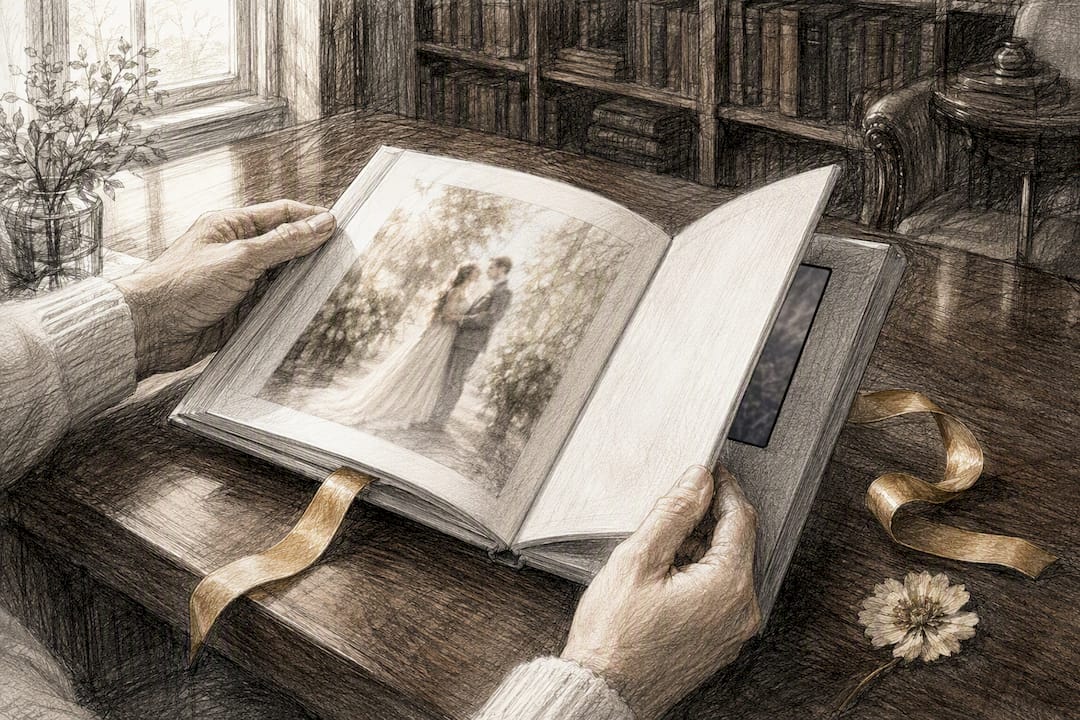
This hybrid pairs a printed album with an embedded screen, so guests flip through stills on one side and hit play on moving footage on the other. Layout matters here: keep the screen on a facing page near your favorite spread, not buried at the back. Print the quieter, posed shots on paper and let the screen carry the motion and sound, since that's where video actually earns its place over a still photo.
5. Parent editions and wedding-party copies
A grandparent doesn't need the extended cut with every toast. Trim a shorter, warmer version for parents that leans on family moments, and consider a separate cut for the wedding party that includes more candid, behind-the-scenes footage from getting ready and the reception. Ordering multiple smaller editions instead of five identical copies of the main book tends to land better as a gift.
6. Vertical or social-style bonus edits
Younger recipients often watch on a phone screen before they ever open a physical book. A vertical, 60 to 90 second cut works well as a companion file, either texted directly or included as a bonus digital download alongside the physical keepsake.
How to Choose the Right Hardware and Finish for a Keepsake Book
Not every screen or cover material holds up the same way over ten years of handling. A few technical and material choices separate a book that still looks premium from one that feels dated fast.
- Screen type: IPS screens hold color accuracy and viewing angle far better than cheaper TFT panels, which matters when three people are leaning over a coffee table at once.
- Screen size: A screen size around seven inches is often considered practical for video books, balancing visibility with portability.
- Resolution and codec: expect somewhere between 720p and 1080p on embedded screens. Confirm the exact frame rate and codec with your vendor before final export.
- Memory and battery: longer runtimes need more onboard storage and a battery rated for repeat playback, not a single charge cycle.
- Cover materials: linen, leather, and velvet dominate the premium tier, often finished with debossed metallic foil stamping for names and dates.
- Vendor services: prioritize vendors who offer preloading, a backup digital file, and some form of warranty on the hardware.
Most vendors build these screens around MP4 files using the H.264 codec, which keeps file sizes manageable without a visible quality hit on a 7" display. That single detail causes more support tickets than any other spec mismatch, so confirm it before you export anything.
How to Prepare Your Video Before It Goes Into the Book
Getting a beautiful edit into a video book that actually plays without a hitch takes a handful of deliberate steps, done in the right order.
- Lock your runtime first. Aim for a 5 to 10 minute keepsake edit as the core file, with a full-ceremony or full-speeches version as a separate optional extra. Shorter, well-paced edits get rewatched far more than long ones, which is the entire argument for curating rather than dumping raw footage into the book.
- Confirm vendor specs before final export. Container format (MP4), codec (H.264), maximum file size, resolution, and aspect ratio all vary slightly by vendor. Get this list in writing, then export to match it exactly rather than guessing.
- Clean up the audio. Normalize dialogue levels, prioritize vows and toasts over ambient reception noise, and watch for clipping on any speeches recorded through a house PA system.
- Handle guest clips deliberately. Rename files with a clear convention (guest name, timestamp), match resolution as closely as possible to your main footage, and place guest messages as their own chapter rather than blending them into the cinematic sequence. Guest-sourced smartphone footage adds real warmth, but it needs audio cleanup and resolution matching to sit comfortably next to professional footage.
- Test before you commit. Play the exported file on a screen close to the book's actual size, upload a test version to the vendor if they allow it, and ask for playback verification once the book is preloaded, not after it ships to a relative.
Pro Tip: When mixing guest clips with your cinematic highlight, normalize everything to around negative six decibels peak with gentle compression. It keeps a phone recording from suddenly blasting louder than your ceremony audio.
Design and Personalization Ideas Worth the Extra Step
The footage inside the book matters most, but the object itself is what sits on a shelf for decades. A few design choices push a video book from "nice gift" to genuine heirloom.
- Personalize the cover with names, the wedding date, and a short dedication line, choosing a foil color that complements the cover material rather than clashing with it.
- Add printed interior pages with favorite stills, a short table of contents, and captions placed opposite the embedded screen so it reads like a real album, not an accessory case.
- Package the book in a presentation box with a printed instruction card explaining play and pause controls, plus a hidden pocket for the charging cable so recipients aren't hunting for a USB-C cord six months later.
- Decide on an edition strategy early: one larger, more detailed copy for parents or grandparents, and slimmer companion copies for the wedding party.
- Keep the book out of direct sunlight and store it flat when not on display. Screens and foil stamping both degrade faster under constant UV exposure than most people expect.
Professional editors favor short, ruthlessly curated cuts for a reason: attention drops fast after the eight or nine minute mark, and a keepsake edit lives or dies on whether people actually rewatch it. Vows, the first look, unscripted reaction shots, and speech excerpts carry more emotional weight than wide shots of decor, and a strong production checklist during filming, covering shot lists, audio capture, and timeline planning, makes that later edit far easier to pull off.
The tradeoff most couples underestimate is emotion versus inclusion. Cramming every guest clip and toast into one file usually dilutes the pacing of the cinematic story. Separating guest messages into their own chapter or file preserves both experiences without forcing one to compete with the other.
Follow Visualize Media on Instagram for real examples of how these edits come together before they ever reach a video book.
Why Practical Luxury Beats a DIY USB Drive
The conventional advice on this topic tends to stop at "just export your favorite clips," which undersells how much the runtime, audio balance, and hardware choice actually shape whether anyone rewatches the thing. A gorgeous seven-minute edit stuffed onto a flickering, low-resolution screen still feels cheap, and a beautiful linen cover wrapped around a shaky, unedited hour of footage doesn't fix the pacing problem underneath it.
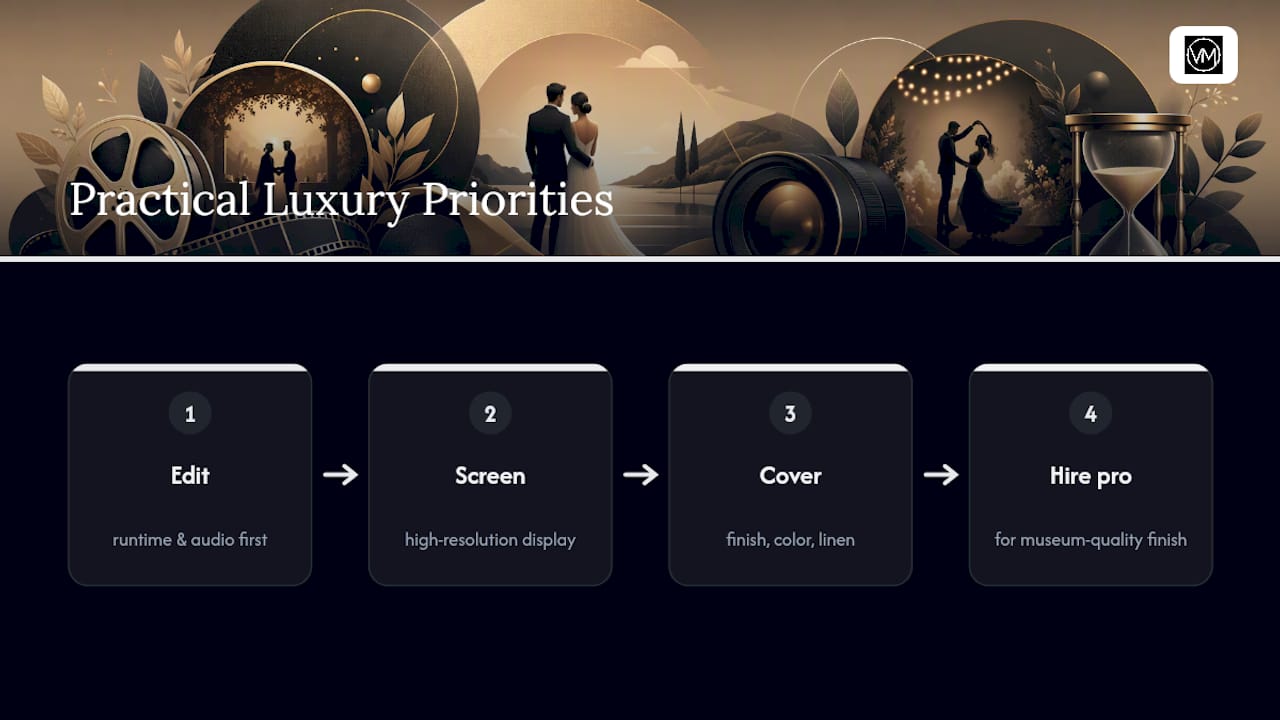
What actually matters, in order, is the edit itself, then the screen quality, then the cover. Get the runtime and audio right first. A vintage film aesthetic or a specific cover color is a nice finishing touch, not a substitute for a well-paced story. Couples who want a result closer to a museum piece than a gadget usually get there by hiring someone who edits for a living rather than assembling raw clips themselves at midnight, three days before a gift deadline.
— Anthony
How Visualize Media Helps You Build the Right Video Book
Visualize Media is the professional route for couples who want a cinematic edit built specifically for a video book, rather than raw wedding footage repurposed at the last minute. The team handles the keepsake edit itself, delivers files formatted to match common vendor specs, and can walk you through which runtime, resolution, and cover style actually fits the footage you have.
Before reaching out, gather your raw footage or existing edit, a rough timeline of must-include moments, your preferred runtime, and a list of who's receiving a copy, parents, wedding party, or just the two of you. That handful of details turns a vague request into a fast, accurate quote. Start by visiting the Visualize Media weddings and events page to see sample films and submit an inquiry, or work through the wedding questionnaire first if you want to organize your shot list and priorities before that first call.
Sources
Confirm codec, resolution, and storage limits directly with your chosen vendor before final export. The wedding video book guide and format and preloading resource referenced above are solid starting points for those specs.